
DropFlow Visual website builder
Designed the builder experience for DropFlow, a freeform visual editor for WordPress by StyleCloud, on desktop and mobile.
- role
- Product Designer
- period
- 2024
- industry
- No-code, creative tools
- scope
- visual builder · desktop · mobile
Overview
DropFlow is a WordPress plugin. Users place, layer and style elements freely instead of working within fixed page templates. It is available with a StyleCloud subscription.
Challenge
Provide layout freedom while keeping the editor predictable and the result usable on mobile.
Key decisions
Editing on the canvas
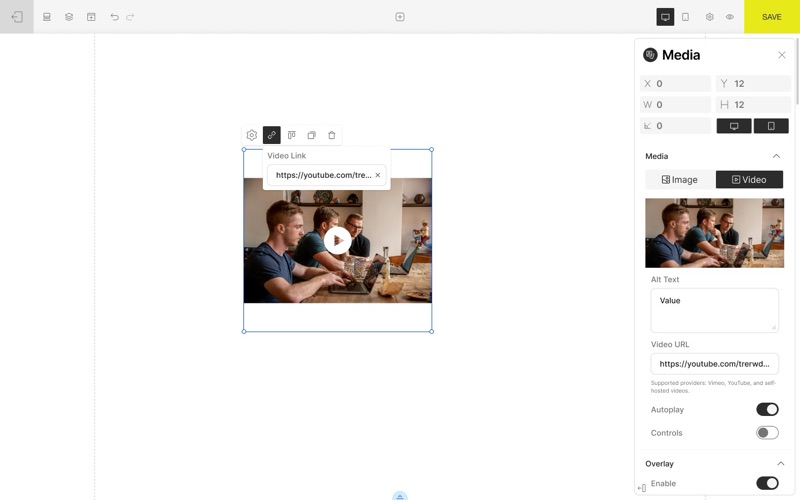
Placed quick actions directly on the selected element and moved detailed settings to a side panel. The page stays the largest area on screen.
Consistent settings
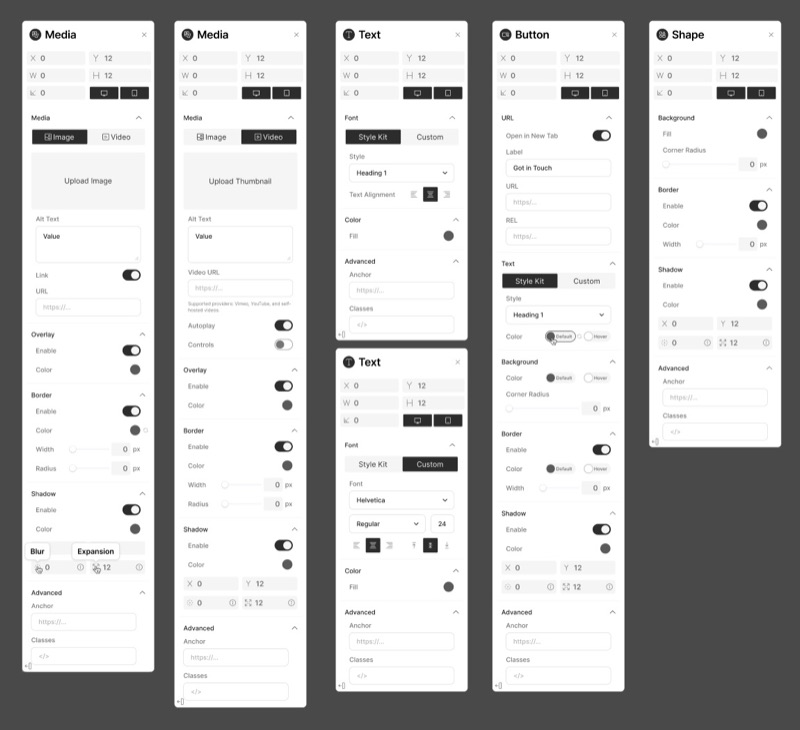
Standardized the settings panel across element types. Media, text, buttons and shapes show position and size, content, style and advanced options in the same order.
Block library
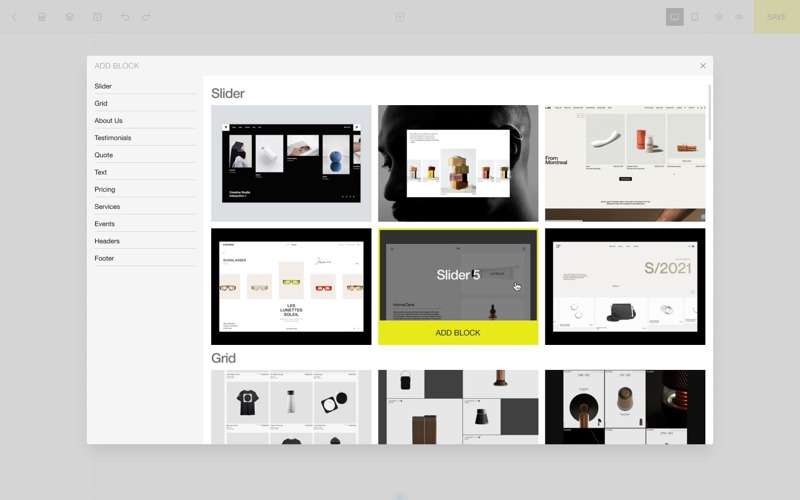
Introduced a library of ready-made sections, including sliders, grids, testimonials, pricing and headers, as a starting point for new pages.
Mobile view
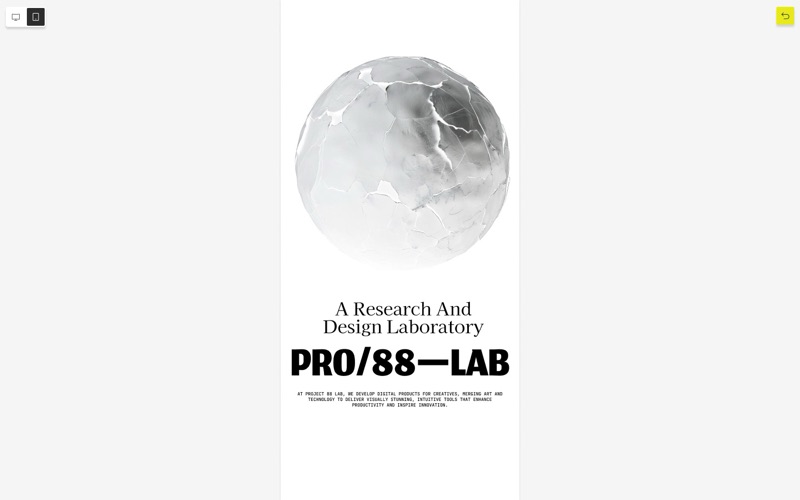
Designed a dedicated mobile view. The mobile layout is generated from the desktop page and can be adjusted manually.
Elsewhere
DropFlow ↗stylecloud.coContact
Always interested in meaningful work and good conversations. say hello ↗